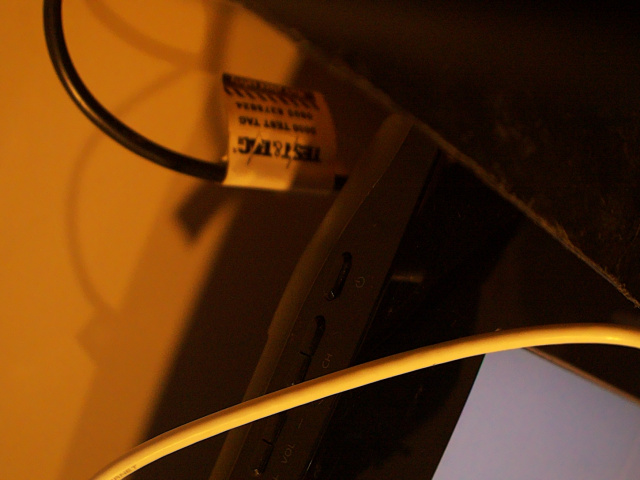
I am using the rpi global shutter camera sensor. The video stream has an orange tint to it compared to the viewing the camera feed through rpicam-hello video stream. Is this expected behaviour based on how OWL models handle the stream of it there something else going on.
We are wanting to use OWL initial for image capture for a phenotyping project where we want standard images using the record function but not sure how to go about getting this working.
Thanks for using the OWL for your project!
I have had the same experience with testing it indoors compared to outside and I’m fairly sure it’s because the AWB is set to ‘daylight’ mode at L226 in video_manager.py.
self.controls = {
“AeExposureMode”: 1,
“AwbMode”: libcamera.controls.AwbModeEnum.Daylight,
“ExposureValue”: exp_compensation
}
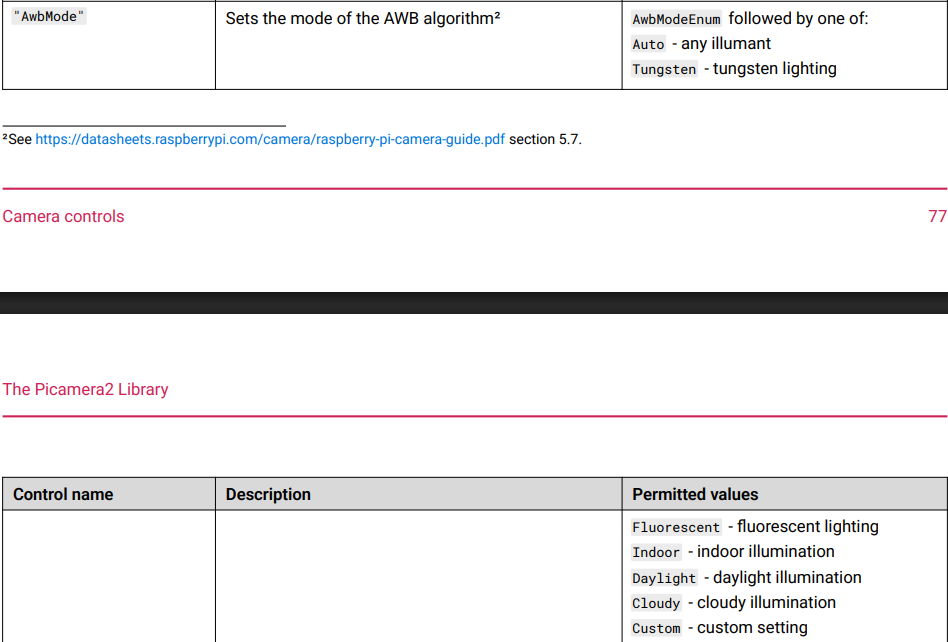
The rpicam-hello video-stream just uses the ‘auto’ mode. Auto white balance is pretty annoying when trying to use colour-based thresholds, so we fix it to at least one type. Turning it off would perhaps be better, particularly if you are using it for phenotyping and can control the lighting entirely. If you go to page 77/78 of the picamera2 documentation you can see the table of accepted values.
As a sidenote, humans are really good at adaptating to colour changes in our environment so we never really see when there is an issue. I’ve certainly come to appreciate it/wish cameras were better at it… Indoor lighting can be really orange compared to sunlight, so that’s why without the auto WB it will look like the image above and if they are LEDs will probably flicker or provide some sort of pulsing in the detections. That doesn’t happen outside fortunately!
Thanks for this.
Have changed these setting and happy with image quality.
1 Like
Glad it could help. Let me know if you run into any other issues or have any questions.
Feel free to share any updates on your build on the Community Builds section too.