OpenWeedLocator v3.0.0 Software Released

OpenWeedLocator v3.0.0

It’s been brewing for the last year or so on the wireless-display branch, so I’m excited to share it with you all now it’s been integrated into main. This release introduces wireless web dashboards, 50% faster GoB detection, support for use of YOLO/ultralytics models on the Pi (up to 25 FPS with object detection models), support for GPS integration for dynamic spray actuation times, and a move towards systemd for running the software away from cron. This change really helps reliability and flexibility when deployed.

Some of the key changes are below, and you can see everything on Github. It’s about 60,000 extra lines, mostly soaked up in CSS and JS for the dashboards.


Highlights

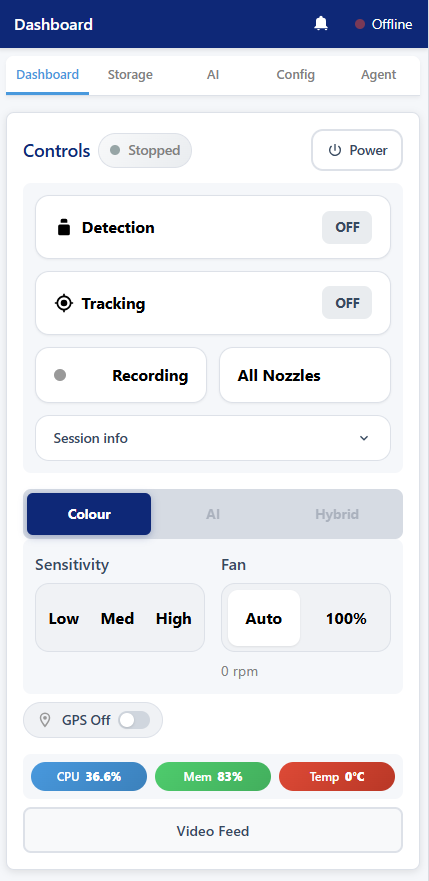
Web Dashboard Controllers

OWL units can now be configured and monitored from any browser on the local network. Two controller modes are available:

  • Standalone Controller – lightweight dashboard for single OWL units, running directly on the Raspberry Pi. The OWL acts as its own MQTT broker.
  • Networked Controller – central hub for managing multiple OWL units simultaneously from a laptop or tablet in the tractor cab. This requires the user of some networking hardware on a targeted application system.

Both controllers feature a touch-friendly interface designed for use in tractors – large buttons, range sliders for threshold adjustment, and an on-screen numpads. Tabs for OWL Status, GPS, model configuration, Agent (beta) and full config editing are available.
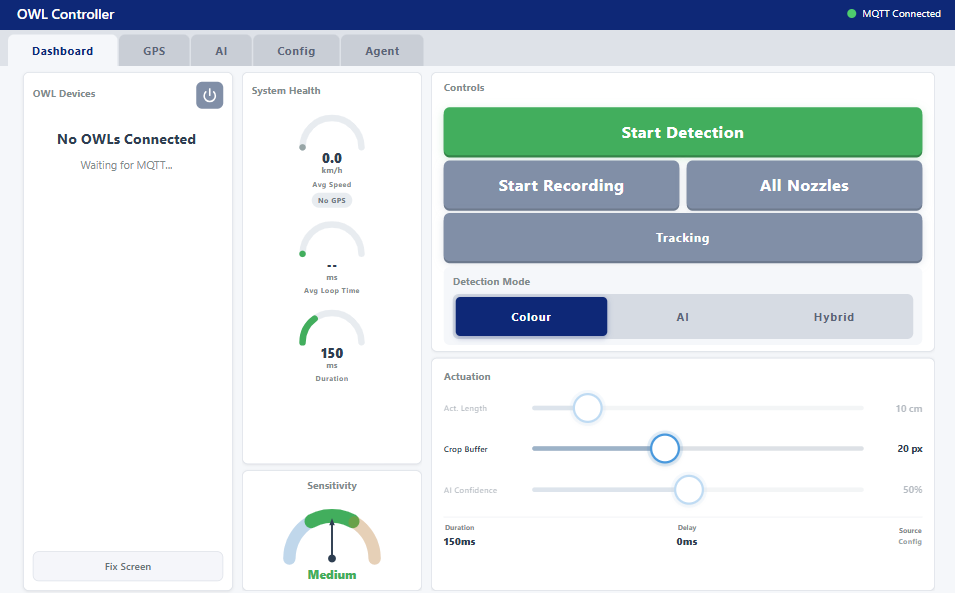
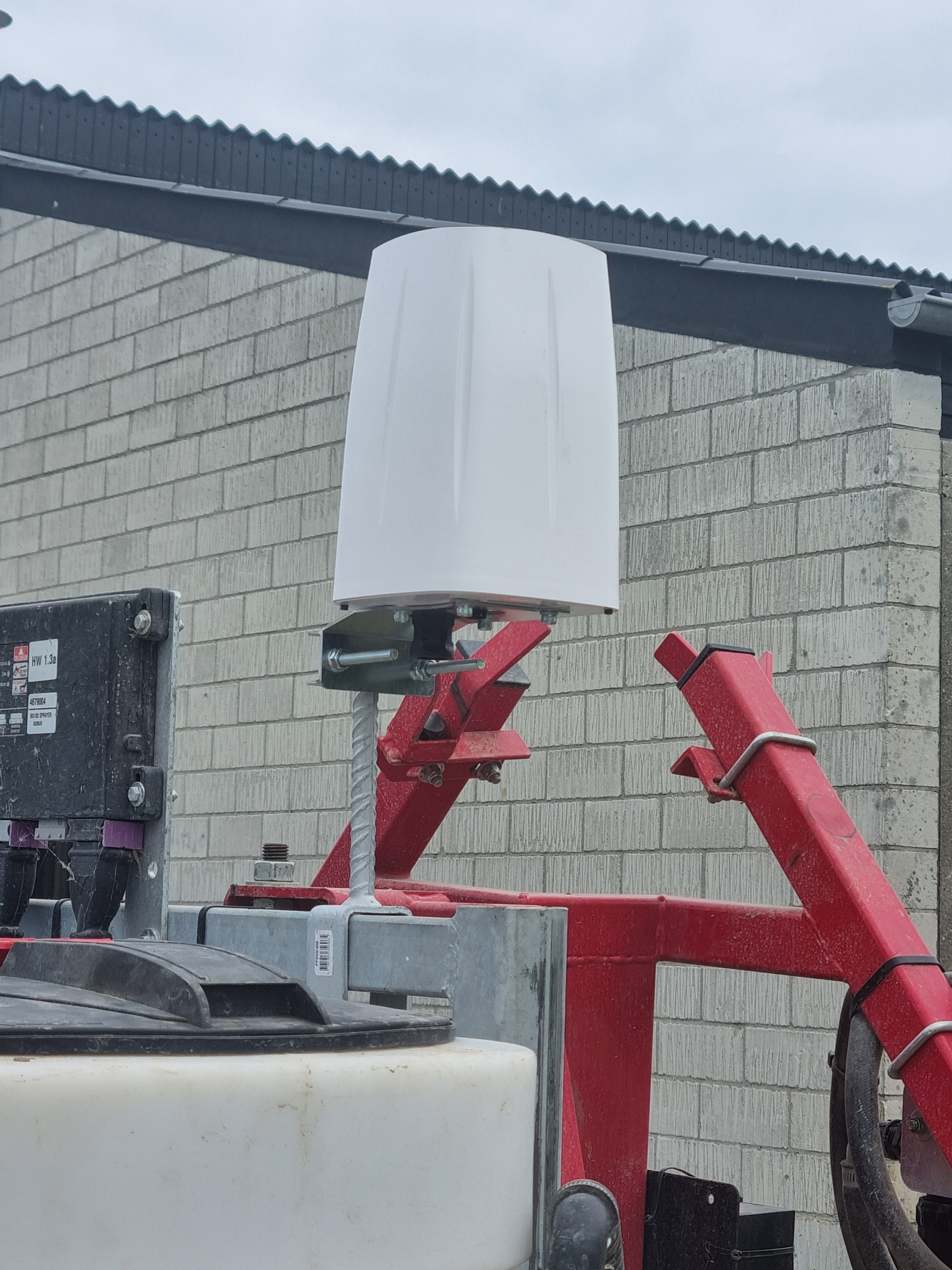
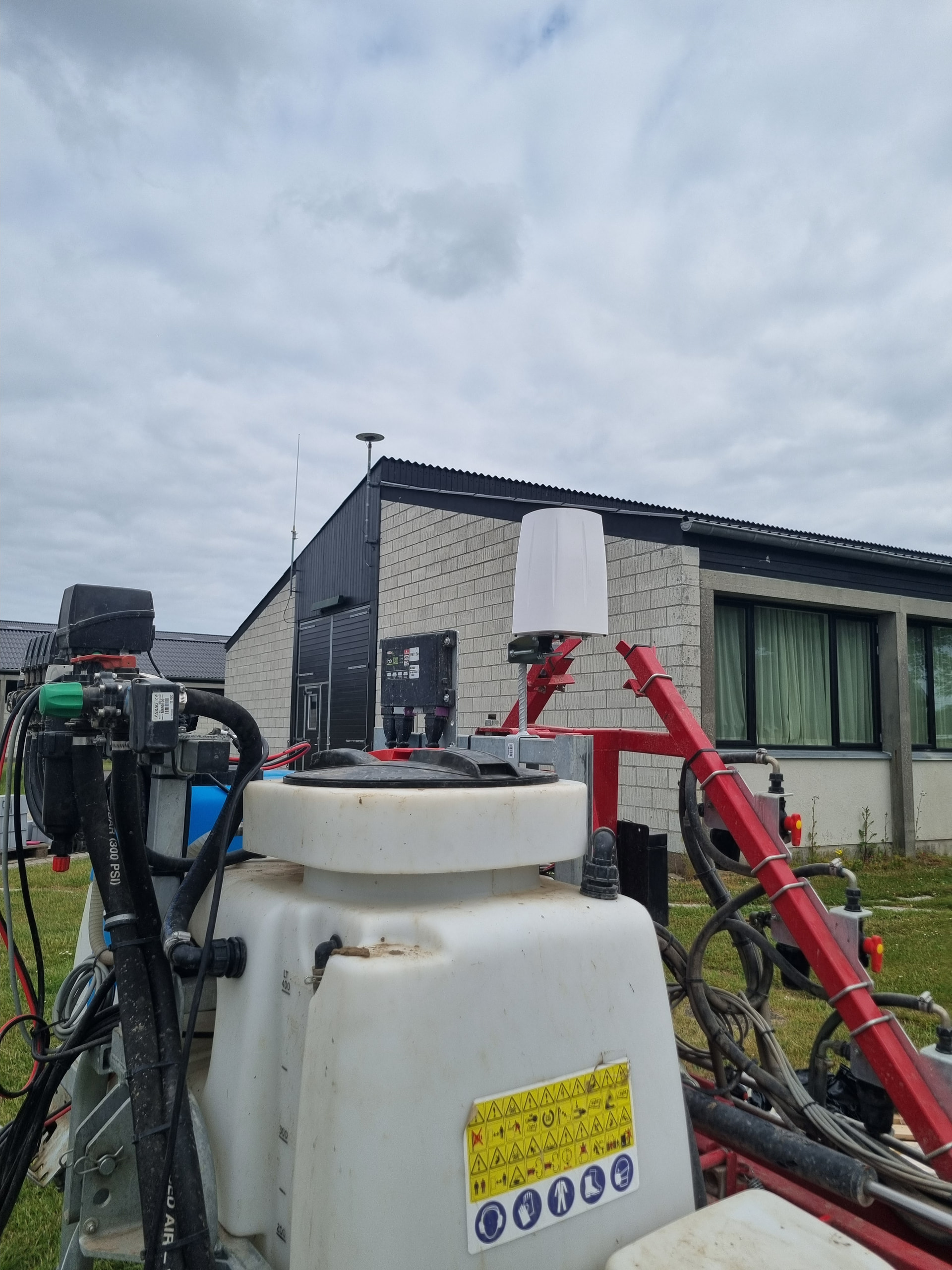
These are also in use on a tractor/vegetables system in Western Australia.
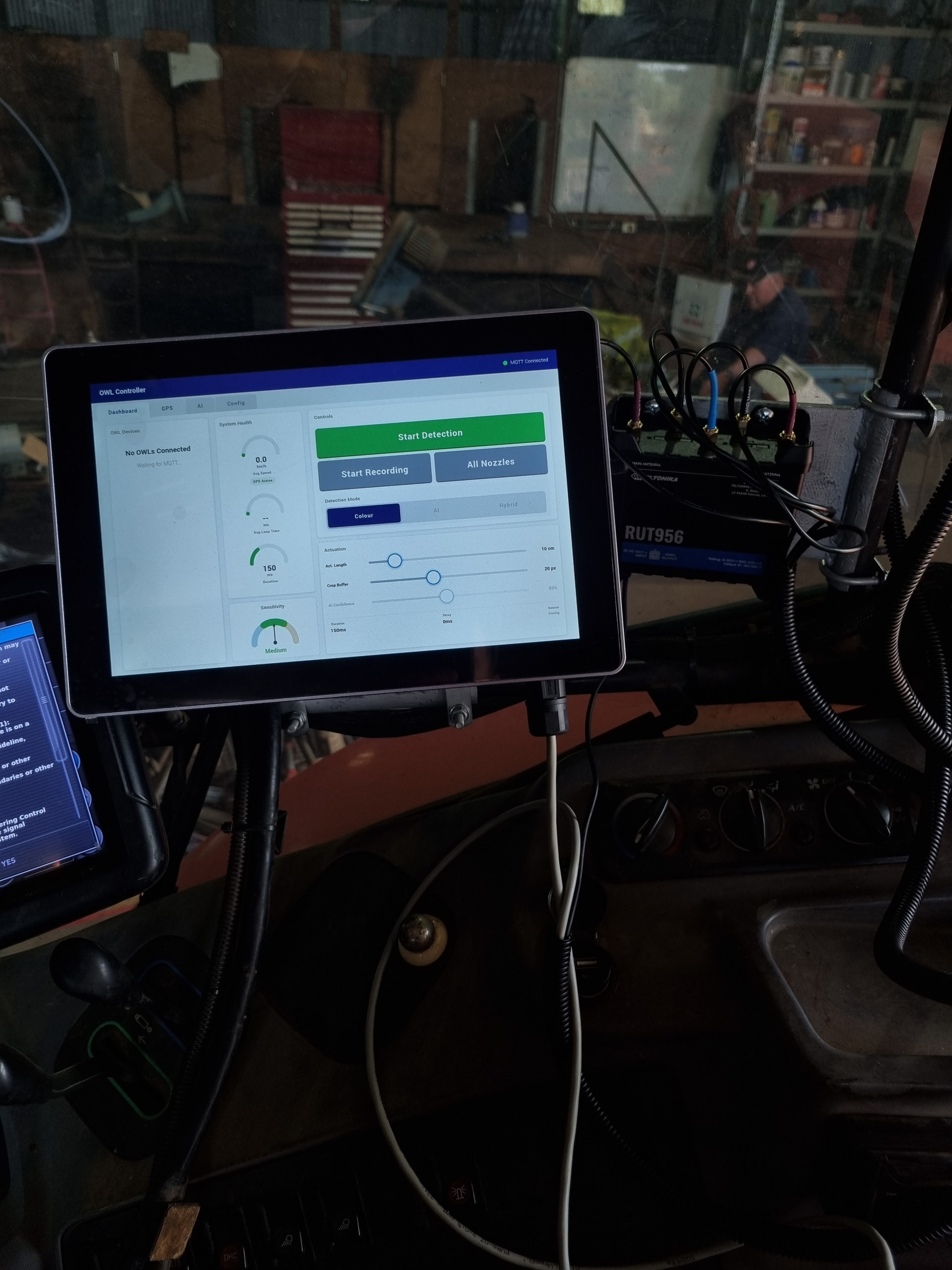
You can see a video of the field day here. This system is also running YOLO26 segmentation models directly on the Pi itself with water cooling to manage heat. It stayed a cool 33C even with a black hood and when temperature was around 40C.
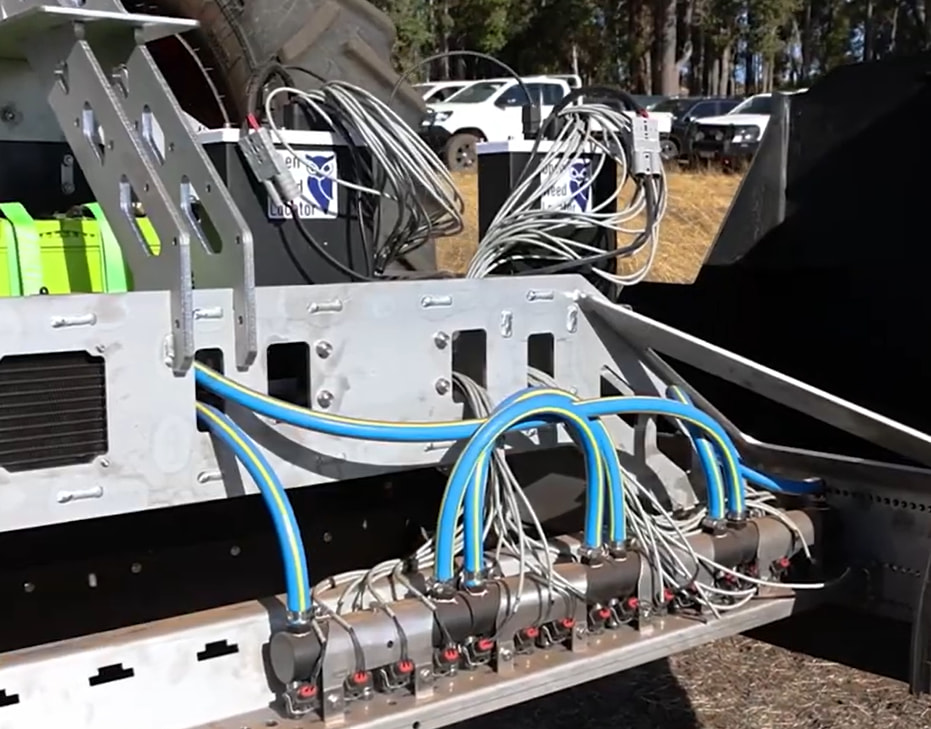
Green-on-Green Weed Detection

Support for in-crop weed detection using Ultralytics YOLO models. Both PyTorch (.pt) and NCNN (.zip) model formats are supported, with NCNN recommended for Raspberry Pi deployment (~3-5x faster than PyTorch on ARM). This is not hardware supported (yet) but allows running nano sized models at 10 to 25FPS, depending on image size.

A new hybrid detection mode combines YOLO crop masking with full-resolution ExHSV colour detection – YOLO identifies and masks crop areas at low resolution, while ExHSV detects weeds in the remaining areas at full resolution. Both run in parallel for minimal overhead.

Models can be uploaded via the web interface and deployed to multiple OWL units over the network with real-time progress tracking.

GPS Integration & Speed-Adaptive Actuation

OWL now accepts NMEA GPS data (via TCP from Teltonika routers or serial from USB GPS modules). The system tracks position, speed, heading, and accumulates session statistics (distance, area in hectares, time).

When GPS speed data is available, the networked controller automatically calculates optimal nozzle actuation timing based on ground speed, camera-to-nozzle offset, and spray patch length. This replaces fixed timing values with dynamic calculations that adapt as the tractor speeds up or slows down.


New Features

Detection & AI

  • YOLO model support with hot-swap capability (change models without restarting)
  • Hybrid detection pipeline (YOLO crop mask + ExHSV colour detection, parallel execution)
  • Class filtering – select which detected classes trigger actuation via the AI tab
  • ByteTrack weed tracking with class smoothing and crop mask stabilisation
  • Custom algorithm support – user-defined detection algorithms with AST-validated sandboxed execution
  • Sensitivity presets (Low/Medium/High + custom) embedded in config, switchable at runtime

Controllers & UI

  • Standalone web dashboard for single-unit monitoring and control
  • Networked controller for multi-OWL fleet management via MQTT
  • Touch-friendly config editor with dual-knob range sliders, numpad input, dropdown presets
  • Live MJPEG video preview in the config editor for real-time threshold tuning
  • “All Nozzles” blanket spray mode – one-tap to activate all relays without detection
  • AI tab with model selector, class button grid, confidence controls

GPS & Navigation

  • NMEA GPS parsing (TCP from Teltonika router, serial from USB GPS)
  • Session statistics – distance, area (hectares), time, average speed
  • GeoJSON track recording with timestamps and metadata
  • Speed-adaptive actuation – nozzle timing calculated from GPS ground speed in real-time

Data Management

  • Wireless data downloads – retrieve detection sessions over WiFi without USB drives
  • Model upload & deploy – upload YOLO models via browser, deploy to OWL units over the network
  • Session directory structure – organised by date and session with metadata

Infrastructure

  • Systemd service management – replaces cron, auto-restarts on crash, proper startup ordering
  • MQTT communication layer – full pub/sub between OWL units and controllers with LWT, reconnect, and heartbeat
  • Unified config architecture – single GENERAL_CONFIG.ini with embedded sensitivity presets, separate CONTROLLER.ini for infrastructure
  • USB camera supportcamera_type config option (auto/rpi/usb) for non-Pi camera hardware
  • Config validation – comprehensive startup validation with GPIO pin checking, boolean validation, relay conflict detection, and human-readable error messages
  • Copy-on-write config persistence – protected default configs with automatic timestamped backups
  • Startup resilience – graceful degradation when MQTT broker or network is unavailable

Performance

The core detection pipeline has been rewritten with in-place NumPy operations, single-pass HSV thresholding, and reduced memory allocations. Benchmarked on Raspberry Pi 5 with IMX296 global shutter camera resolutions, 1000 iterations per resolution, 0-50 synthetic weeds per frame. Run python benchmarks/v1_vs_current.py --rpi to reproduce.

Full Frame Loop (ExHSV algorithm — default)

Resolution v1 (2021) v2 (main) v3 (this release) v1 FPS v2 FPS v3 FPS Speedup vs v1 Speedup vs v2
416x320 5.39ms 5.03ms 3.52ms 186 199 284 1.53x 1.43x
512x384 8.04ms 7.61ms 5.67ms 124 132 176 1.42x 1.34x
640x480 12.88ms 12.23ms 9.39ms 78 82 106 1.37x 1.30x
728x544 16.80ms 16.12ms 12.55ms 60 62 80 1.34x 1.28x
800x608 20.85ms 19.97ms 15.63ms 48 50 64 1.33x 1.28x
1024x768 36.00ms 34.39ms 27.03ms 28 29 37 1.33x 1.27x
1456x1088 68.52ms 64.96ms 51.33ms 15 15 20 1.33x 1.27x

Other Benchmarks

Metric Result
Weed tracking overhead (10 objects) 0.06ms median – 0.5% of 30fps budget on Pi 5
Class smoothing accuracy Reduces YOLO class flicker from 44.6% to 10.8%

Key Optimisations

  • cv2.split() replaces array slicing for channel extraction
  • In-place NumPy operations (np.multiply(..., out=)) eliminate intermediate allocations
  • Single cv2.inRange() call on 3-channel HSV replaces 3 separate threshold + AND operations
  • np.maximum() replaces np.where() for zero-division guard
  • Set-based relay deduplication replaces per-weed loop with time.time() calls
  • MAX_DETECTIONS cap (50) prevents pathological slowdown in high-weed-density frames
  • Kernel creation moved to __init__() (was per-frame in v1)
  • Rectangle drawing skipped when headless (no display)

Breaking Changes

The one challenge with this new release is that if you are running the old one, then you will really need to do a fresh install of Trixie and then run the setup script again. Otherwise the CRON job will still try to start each time.

There is also only one config file now for the general settings and one for the controller settings.

  • Config file structure: Three DAY_SENSITIVITY_*.ini files replaced by single GENERAL_CONFIG.ini with embedded [Sensitivity_*] sections. Old config files will not work without migration.
  • Startup method: Cron-based startup replaced by systemd services. Run owl_setup.sh to configure.
  • MQTT required for controllers: The web dashboards communicate with owl.py via MQTT. Mosquitto broker must be installed (handled by setup scripts).
  • Python dependencies: Flask, Gunicorn, paho-mqtt, psutil now required for dashboard features. Optional: ultralytics + NCNN for Green-on-Green detection.

Installation

Fresh install (Raspberry Pi OS Bookworm)

git clone https://github.com/geezacoleman/OpenWeedLocator owl
cd owl && bash owl_setup.sh

Upgrade from v2.x

cd ~/owl
git pull origin main
bash owl_setup.sh  # Reconfigures systemd services and installs new dependencies

Hardware Support

  • Raspberry Pi 3B+, 4, 5
  • Raspberry Pi Camera Module v2, v3, HQ Camera, Global Shutter Camera
  • USB webcams (new in v3.0)
  • Sixfab 4G/LTE HAT (with GPIO remap for pin 26 conflict)
  • Teltonika RUTX14 router (GPS via TCP)
  • USB GPS modules (serial NMEA)
  • EDATEC HMI3010 touchscreen (1280x800 target resolution)

Contributors

Thanks to everyone for all their emails, suggestions, usage of the device and feedback. It genuinely helps me shape it in the direction that suits you all! So if there is something missing, please reach out. Emails are always open.
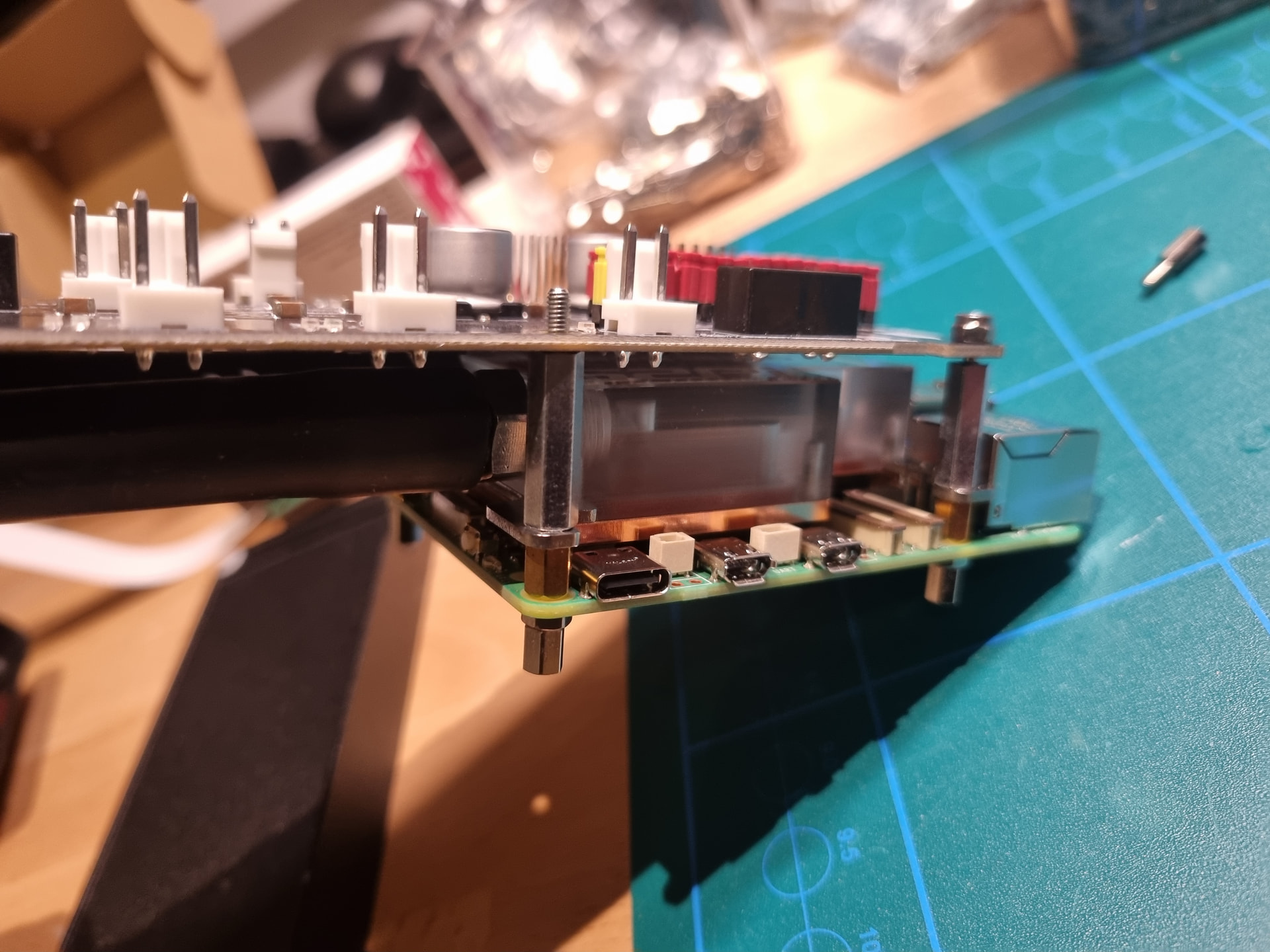
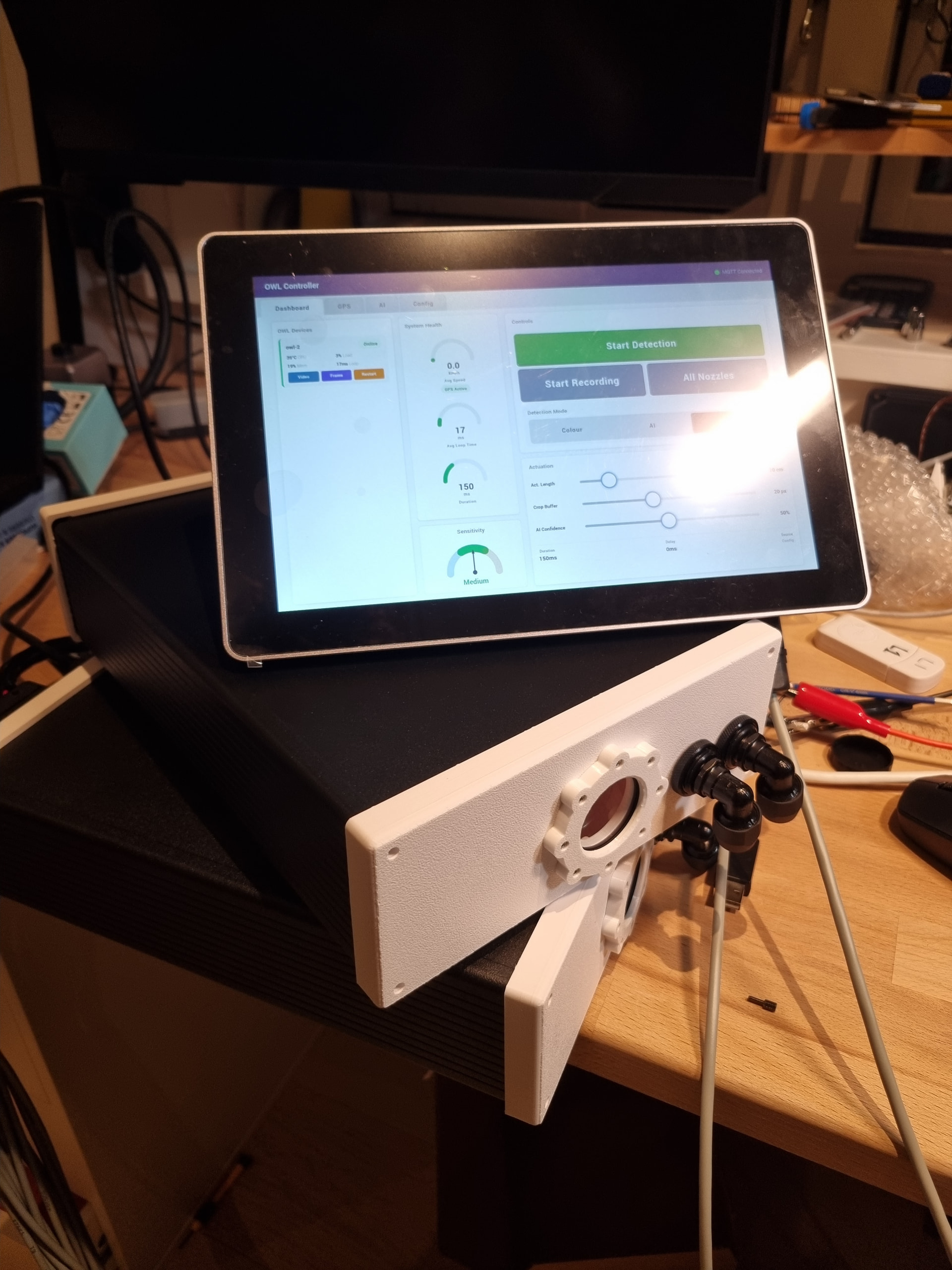
Great work! How did you do the water cooling?

For the water cooling, I used this RPi water cooling block and then routed it via a small radiator and pump.

It uses AlphaCool hose and metal parts for the bulkheads and fittings. It is very effective at cooling the Pi, my biggest concern is longevity, but so far so good.

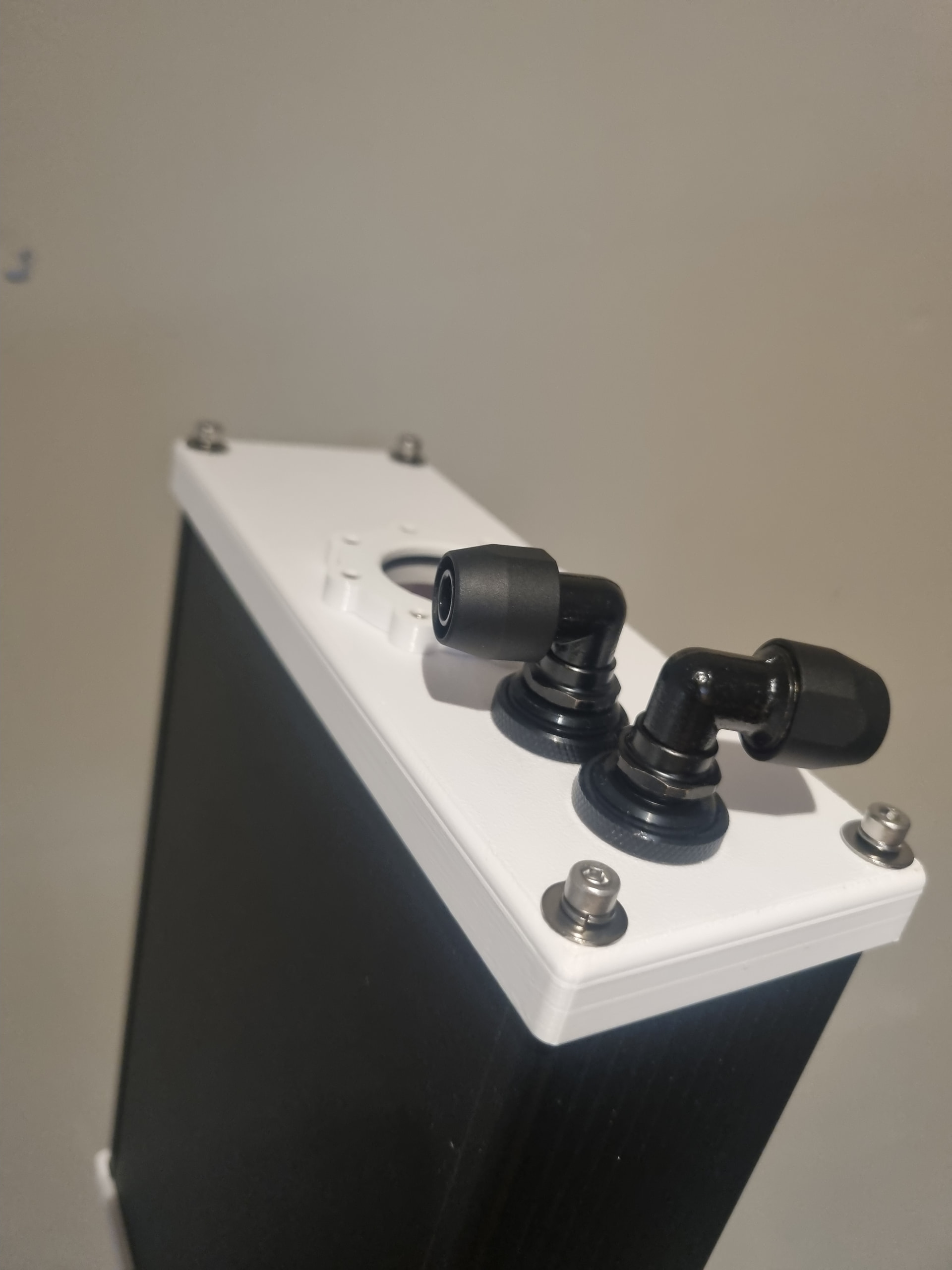
These are the fittings on the outside of the Pi.

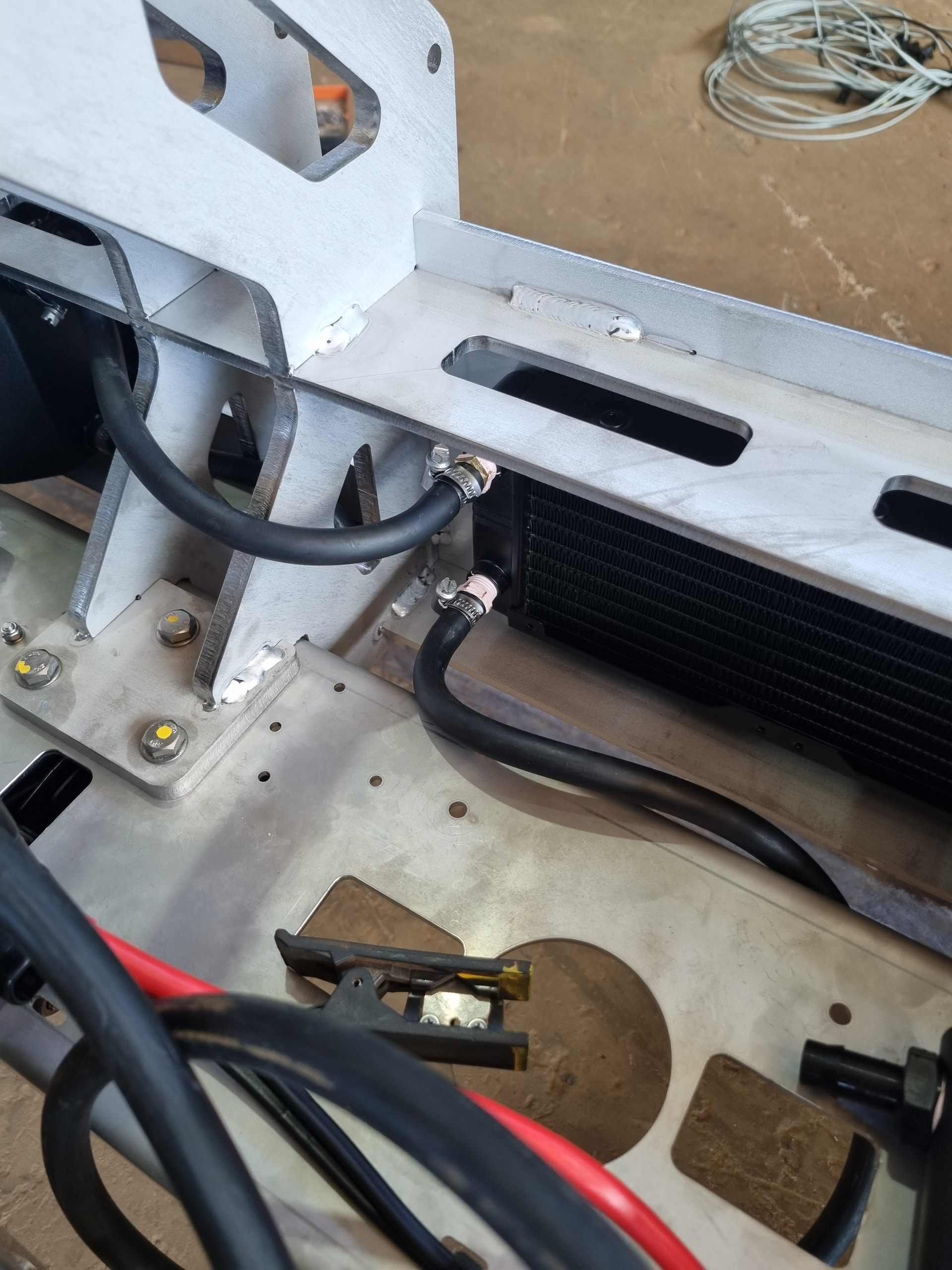
That then run to this radiator, with fluid circulated by a small pump hidden in the frame.

I really need to write up a proper post about this project. It was really fun to design and build, albeit the most crimping I’ve done. Quite a few long days in a hot shed. And a really impressive design/fabrication from Kahn (the engineer at Cutts Engineering) to setup the stainless frame.

Thanks for all the hard work Guy! I haven’t been able to resume work on my project yet but Im really looking forward to loading the new software.

1 Like

will be great to get your feedback!

@geezacoleman I got the touch screen. Their documentation says to install bookworm because trixie is not supported yet. Did you follow that or did you install trixie?

1 Like

That’s great - they are a pretty decent interface.

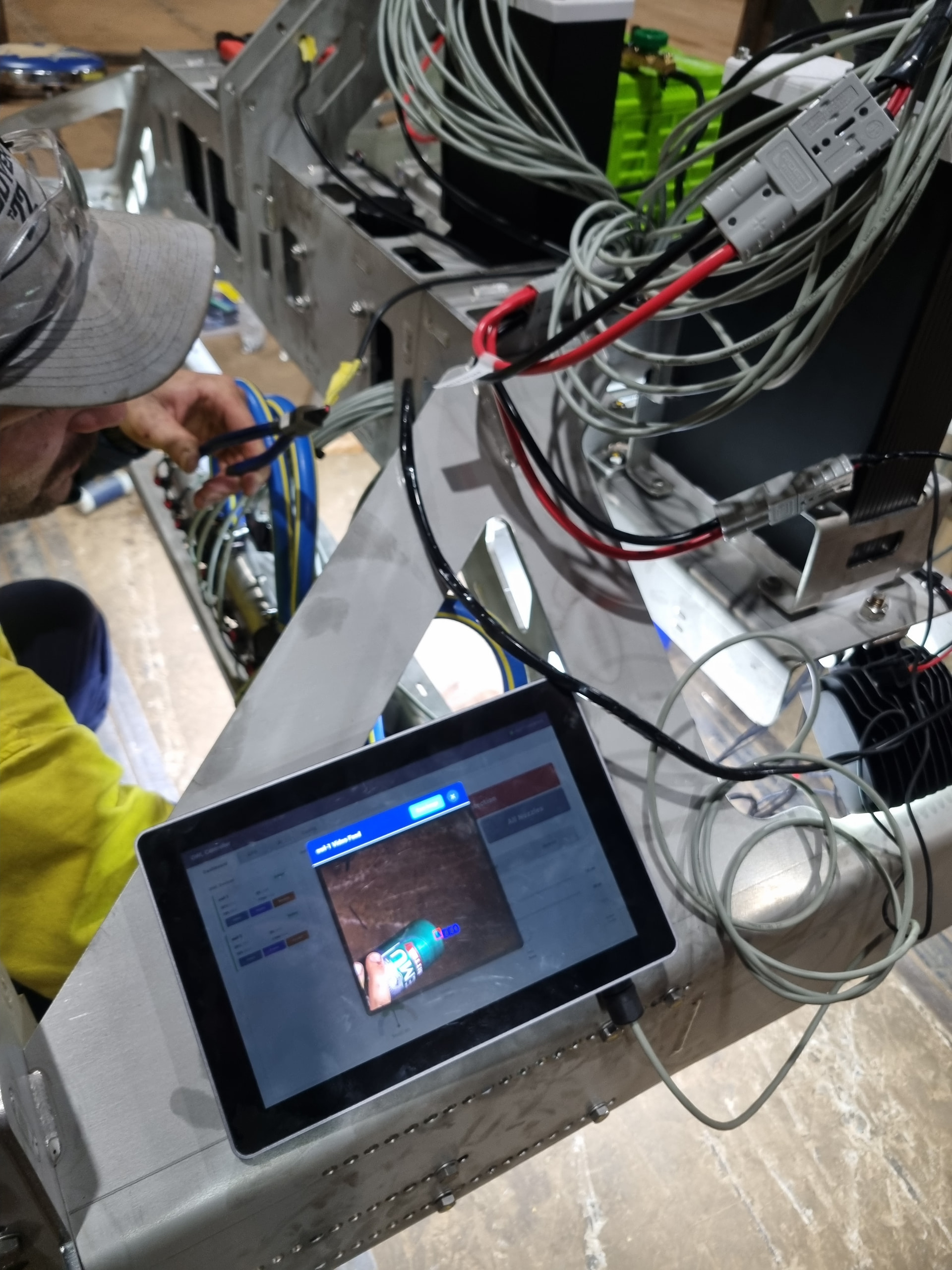
I did make some 3D printable mounts for the 10.1 inch/7 inch if it’s of use: 3D design EDATEC HMI Mounts - Tinkercad. It’s the one used in the images above, and works with RAM Mounts if you use the B or C Ball with the round base. It also contains holes for an Amphenol size 10 connector and two switches. One for power to the screen and the other for the hardware enable/disable for all outputs.

As for the software, just go with Bookworm and follow the steps they provide. . Once you’re done, then just follow the OWL Controller setup.

I tried Trixie but it broke it quite badly and I had to reflash the SD card.

What router are you using?

That’s brings up another question: What do you use to power the screen RPi? Do you use the sensor header or some other HAT to convert the 12V to 5V?

In addition, for powering the sensor, do you just connect the tractor’s raw 12 V or do you use any kind of filtering/stabilizer to avoid fluctuations? Or it doesn’t matter?

I like the case and the joint mount. I will print one! The screens is quite heavy. Does the joint and RAM mount hold up well in the tractor with all the vibrations and movement going on?

I use a consumer wireless router for now. I was thinking about wiring with ethernet using a small switch on the sprayer and then connect to the cabin screen RPi. The enclosures I built are aluminum and have an ethernet port. I was worried that in a metallic enclosure, the WiFi signal from the RPi won’t be strong enough. What material are your enclosures made out of? Is it plastic with a metal heatsink back?

To be honest, the router you are using is quite pricey. Although I am sure is meant for this kind of environments. I like that it also has cellular connectivity.

Also, what is the note about the USB camera? Are there any USB global shutter cameras we can use now that you would recommend?

By the way, I set up two RPis with OWL 3.0 so far with the latest scripts and the static IP I used during the installation didn’t seem to stick afterwards. I can dig more into NetworkManager, but I am just letting you know.

What do you use to power the screen RPi?
do you use any kind of filtering/stabilizer to avoid fluctuations? Or it doesn’t matter?

Forgot about this part - we pretty much always use the OWL HAT for everything. Mostly because it is easy but also because it has a lot of filtering and surge protection built in. That’s what we were testing on the OWL3.0 last week and it seemed to go ok. Fairly similar electronically from what I gather.

Does the joint and RAM mount hold up well in the tractor with all the vibrations and movement going on?

RAM Mounts themselves are everywhere in agriculture and the default for mounting things on almost every farm globally - they have really cornered that market somehow. The heatset inserts are only as good as the plastic/how they are set of course, but so far so good. Two heavy screens have been fine for at least 4 months now. And two OWLs are mounted to a sprayer with the same system and have been bouncing around a paddock for a month with no problems yet. I usually recommend a bit of glue for added safety.

What material are your enclosures made out of? Is it plastic with a metal heatsink back?

Yes the WiFi systems we have set up have all been plastic and I agree that the alu enclosure will cause issues. The design for the OWL3.0 will be either extern wifi antennas or M12 IP67 ethernet and industrial switches across the boom then connected to the router. Expensive, but better longevity. In saying that, our OWL3.0 Alu case could easily connect to the wifi and that is an entirely aluminium enclosure. So perhaps worth testing.

Yeh teltonika are meant as industrial routers, but you can of course use anything. Worth testing with something cheap at least. I also like that the RUT951 has GPS and the RUT981 has a PoE+ version.

what is the note about the USB camera?

There was someone who wanted better support for USB cameras on the OWL in general, so I just added that in. I wouldn’t personally recommend using USBs in the field, but I think they had a different setup.

static IP I used during the installation didn’t seem to stick afterwards.

Hmm that is strange - I have done it lots of times and haven’t had issues but then I haven’t done it during the last few weeks and perhaps Raspbian has changed again. How is your router set up?

Edit: Teltonika routers and the QuWireless antennas are very good quality though, so I imagine your performance will improve with wifi using these over a consumer system. Ethernet is my preferred for reliability, but then you have cables everywhere. Anything over four devices, I would recommend wired I think

From the general discussion I take it that you are going with the regular RPi5, not something like the CM5 with a w mount board? Is that correct?

I am testing both, and the reason I am looking into the waveshare+CM5 was to avoid the SD card issues in terms of longevity. In addition, some waveshare boards have real time clock which I am not sure if it’s useful at all.

By the way, are you doing any testing with lights or are you just going with daylight operations at this point?

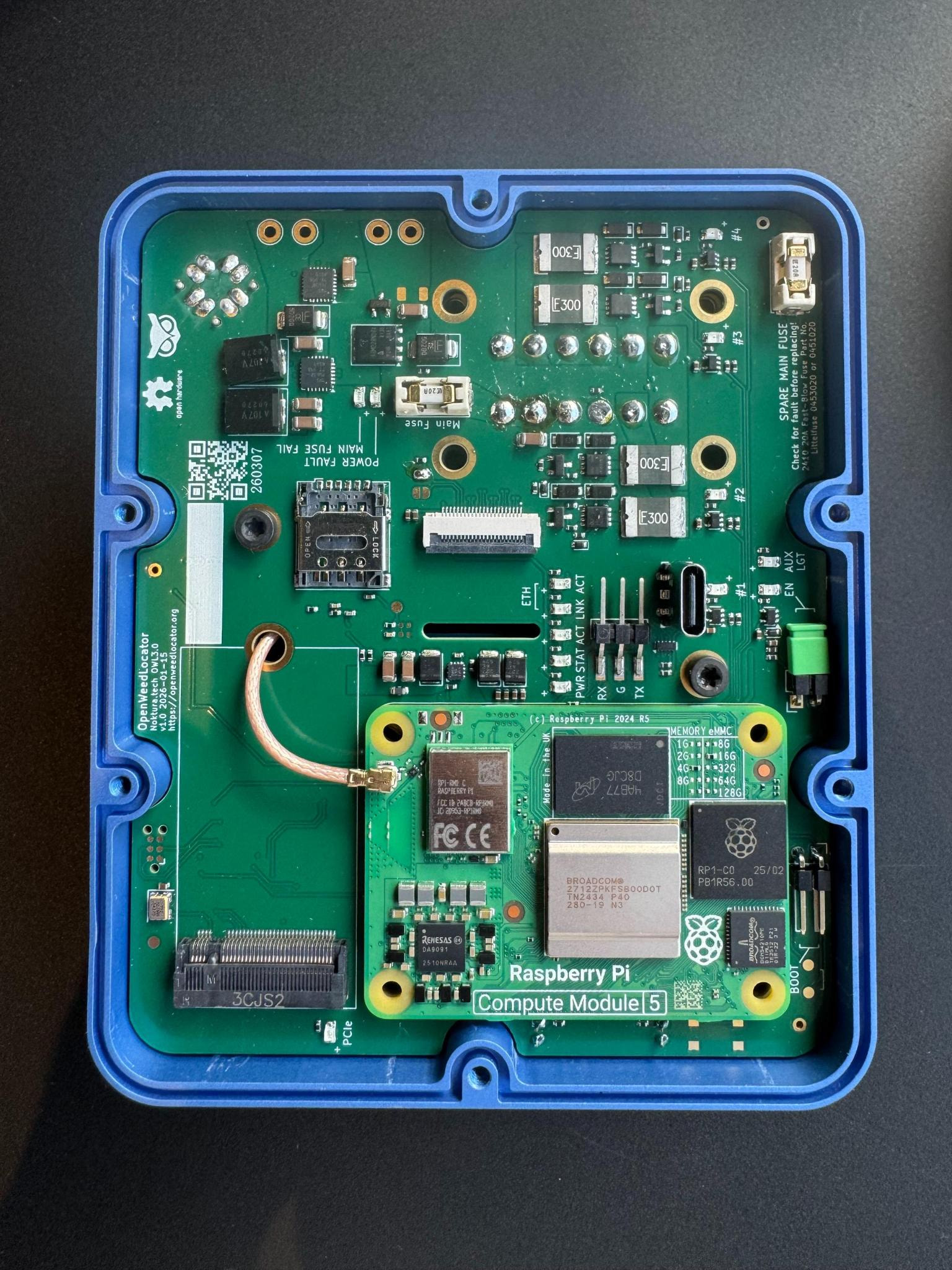
The latest OWL hardware is all CM5 + Hailo based for reasons you mention and also cost/supply chain issues. Plus you have fewer unnecessary parts that could break/take up room (this one I hope to get to you soon - apologies for the delay haven’t forgotten!). Then you can check it out yourself and let me know what you think.

We’ll also have RTC on this as well, there’s a battery holder on the underside too.

As for lights, only what we did a few years ago. I guess all I can say is that they definitely help and the more the better. There is a big 10A plug on this board that is switched so you can plug a light in if needed, you just need to provide your own input power.

We will be releasing the drawings/designs once we have it ready as well - still open source of course!

1 Like

What are you thoughts about powering with PoE? You need to pull a cable anyways, so if that is PoE it can give power and connectivity.

It keeps things easy from a wiring PoV but then you need a new PoE HAT and then also actuated outputs. You also need the PoE hardware and a 48V source for the system.

We have two OWLs/screen running on a tractor here in Denmark using the RUT951 PoE+ and it was convenient for this image data collection project because of the reduced cable running and I wanted to test it out. But I’m not sure it works everywhere and for smaller systems just adds expense.

So yes and no I guess - not sure I would do it again for spot spraying applications. I would for imaging applications though. I don’t think we will support PoE with our boards in the near future unless a heap of people are interested, just other priorities in the interim.

Here you mentiong Teltonika RUTX14 router and here Networked Setup - OpenWeedLocator Documentation you recommend the RUT956. I am sure both are supported, but it looks like the RUTX14 is much pricier than the RUT956. What are the main pros and cons?

Also, any WiFi antenna recommendations for the units?

P.S. I reran the network setup script and fixed the IP issue (mentioned above).

Any router should work, so it’s not too important. I originally went with the RUTx14 because it had faster data rates (CAT12 vs CAT 4). It’s a gigbit ethernet switch as far as I’m aware. So wanted to go with the top of the range to start with on a project last year.

RUT956 is a 100MB switch and just slower generally. Both have GNSS which is important.

Would recommend the associated QuWireless setups (RUTX14 or RUT956) for each.

As mentioned before though, you just need some sort of LAN for the controller to work. I just like Teltonika because they have a good industrial base and offer some nice solutions.

How about WiFi antennas for the sensors? Any recommendations there?

We’re going for a 3 in one antenna from Quectel - but only if we end up using the NB-IoT module. Otherwise we just need a GNSS and WiFi antenna. For small setups the default Pi 5 built in antenna is probably fine. That’s what we’ve used before.

QQ: to attach the RAM ball to the 3D case, do you use inserts or is it okay to drill the hole through and use regular #10 screws with nuts maybe?

1 Like

I typically use these Ruthex heat set inserts and they’ve worked great. But bolting it makes a lot more sense and removes the issue with them pulling out over time.

I think I just used the heat set inserts out of habit, given other cases had to be sealed!

Thanks for the idea - might update the file.